
Verifying that an MP3 File is valid in Python

September 10th, 2010

This post is a result of many attempts at trying to find an existing solution, deciding that nothing did what I needed, and writing the code myself. Specifically, I wanted to be able to verify whether or not that a file is a valid MP3 file from Python. I did not want any dependency on non-Python code (for cross-platform reasons), nor did I need to encode, decode, play, record, or any other such operations to the file. I just needed to know if it was an MP3 or not, and that is all. Oh yeah, and the file will probably have a random file name without the .mp3 extension.

At first, I downloaded several python libraries. The documentation was poor on most of them so I had to experiment to figure out if they did what I needed. All were failures or required something external like ffmpeg. I found library that seemed to check if an    mp3 file was valid, but discovered it only worked if the file was named with the mp3 extension. A closer look at its code revealed that it was just checking the file’s mime-type based on the file extension. That was useless for me.

So I decided that this was something I needed to do myself. With this mp3 file format specification as a reference, I sat down and wrote the code that follows, which seems to work very well. Basically the code searches for the first valid audio frame, makes sure that the frame’s header values are sane, and then checks that the second frame seems to start where it should. This code does not decode any audio in those frames.

Here is the code:

def isMp3Valid(file_path):
    is_valid = False

    f = open(file_path, 'r')
    block = f.read(1024)
    frame_start = block.find(chr(255))
    block_count = 0 #abort after 64k
    while len(block)>0 and frame_start == -1 and block_count<64:
        block = f.read(1024)
        frame_start = block.find(chr(255))
        block_count+=1
       
    if frame_start > -1:
        frame_hdr = block[frame_start:frame_start+4]
        is_valid = frame_hdr[0] == chr(255)
       
        mpeg_version = ''
        layer_desc = ''
        uses_crc = False
        bitrate = 0
        sample_rate = 0
        padding = False
        frame_length = 0
       
        if is_valid:
            is_valid = ord(frame_hdr[1]) & 0xe0 == 0xe0 #validate the rest of the frame_sync bits exist
           
        if is_valid:
            if ord(frame_hdr[1]) & 0x18 == 0:
                mpeg_version = '2.5'
            elif ord(frame_hdr[1]) & 0x18 == 0x10:
                mpeg_version = '2'
            elif ord(frame_hdr[1]) & 0x18 == 0x18:
                mpeg_version = '1'
            else:
                is_valid = False
           
        if is_valid:
            if ord(frame_hdr[1]) & 6 == 2:
                layer_desc = 'Layer III'
            elif ord(frame_hdr[1]) & 6 == 4:
                layer_desc = 'Layer II'
            elif ord(frame_hdr[1]) & 6 == 6:
                layer_desc = 'Layer I'
            else:
                is_valid = False
       
        if is_valid:
            uses_crc = ord(frame_hdr[1]) & 1 == 0
           
            bitrate_chart = [
                [0,0,0,0,0],
                [32,32,32,32,8],
                [64,48,40,48,16],
                [96,56,48,56,24],
                [128,64,56,64,32],
                [160,80,64,80,40],
                [192,96,80,96,40],
                [224,112,96,112,56],
                [256,128,112,128,64],
                [288,160,128,144,80],
                [320,192,160,160,96],
                [352,224,192,176,112],
                [384,256,224,192,128],
                [416,320,256,224,144],
                [448,384,320,256,160]]
            bitrate_index = ord(frame_hdr[2]) >> 4
            if bitrate_index==15:
                is_valid=False
            else:
                bitrate_col = 0
                if mpeg_version == '1':
                    if layer_desc == 'Layer I':
                        bitrate_col = 0
                    elif layer_desc == 'Layer II':
                        bitrate_col = 1
                    else:
                        bitrate_col = 2
                else:
                    if layer_desc == 'Layer I':
                        bitrate_col = 3
                    else:
                        bitrate_col = 4
                bitrate = bitrate_chart[bitrate_index][bitrate_col]
                is_valid = bitrate > 0
       
        if is_valid:
            sample_rate_chart = [
                [44100, 22050, 11025],
                [48000, 24000, 12000],
                [32000, 16000, 8000]]
            sample_rate_index = (ord(frame_hdr[2]) & 0xc) >> 2
            if sample_rate_index != 3:
                sample_rate_col = 0
                if mpeg_version == '1':
                    sample_rate_col = 0
                elif mpeg_version == '2':
                    sample_rate_col = 1
                else:
                    sample_rate_col = 2
                sample_rate = sample_rate_chart[sample_rate_index][sample_rate_col]
            else:
                is_valid = False
       
        if is_valid:
            padding = ord(frame_hdr[2]) & 1 == 1
           
            padding_length = 0
            if layer_desc == 'Layer I':
                if padding:
                    padding_length = 4
                frame_length = (12 * bitrate * 1000 / sample_rate + padding_length) * 4
            else:
                if padding:
                    padding_length = 1
                frame_length = 144 * bitrate * 1000 / sample_rate + padding_length
            is_valid = frame_length > 0
           
            # Verify the next frame
            if(frame_start + frame_length < len(block)):
                is_valid = block[frame_start + frame_length] == chr(255)
            else:
                offset = (frame_start + frame_length) - len(block)
                block = f.read(1024)
                if len(block) > offset:
                    is_valid = block[offset] == chr(255)
                else:
                    is_valid = False
       
    f.close()
    return is_valid

Esperanto Support Plugin for Anki

August 5th, 2010

So I decided to learn Esperanto, which as an avid user of the SRS application Anki, meant I needed to either enter Esperanto’s special characters (ĉ, ĝ, ĥ, ĵ, ŝ, ŭ) into my flash cards, which can’t easily be typed with the US International keyboard layout, or I could deal with the ugly “x method” workaround (cx, gx, hx, jx, sx, ux). At first, I was only creating Esperanto cards from my Linux computers at home, which let me use an Esperanto keyboard layout to type in the special characters. Pretty soon though, I found myself creating cards from my Windows machine at work during breaks. There is no Esperanto keyboard layout in Windows by default, so I tried to install some third party keyboard layouts without success. I eventually came across a program called Ek, which seemed to do the job of letting me type special characters, except in Anki where it would only type “ĉ”. So I just dealt with the “x method” and was typing words like vojagxas instead of vojaĝas. I don’t know why, but after a while all the x’s began to really bother me. I didn’t want to see mangxi in my flash cards, it just doesn’t seem as natural as manĝi does. So I did what any other software developer would do….

I wrote some code.

Specifically, I wrote a plugin for Anki which converts all those terrible cx, gx, hx, jx, sx, and ux combinations into the aesthetically pleasing ĉ, ĝ, ĥ, ĵ. ŝ. and ŭ characters. Prior to this I’ve never written a plugin for Anki, and even now I claim no expertise. Anki is written in Python, and so are its plugins. I found a plugin that adds some support for the German language to Anki and used that as a model to build my plugin.

To use the Esperanto plugin, open Anki, go to File -> Download -> Shared Plugin. Type “esperanto” into the search box. My plugin is the only one that matches that search, so it should be highlighted already. The plugin is called “Esperanto Support for Anki”. Click Ok and it should download and install for you. In your deck, when you want to add a card for Esperanto, make sure the card is using the “Esperanto” model rather than “Basic” model.

I’m open to suggestions and feedback, and if you are curious about the code at all, open up your Anki plugins folder and take it a look. The code is right there and it’s very simple.

Foreign Language Audio on Demand at RhinoSpike.com

April 15th, 2010

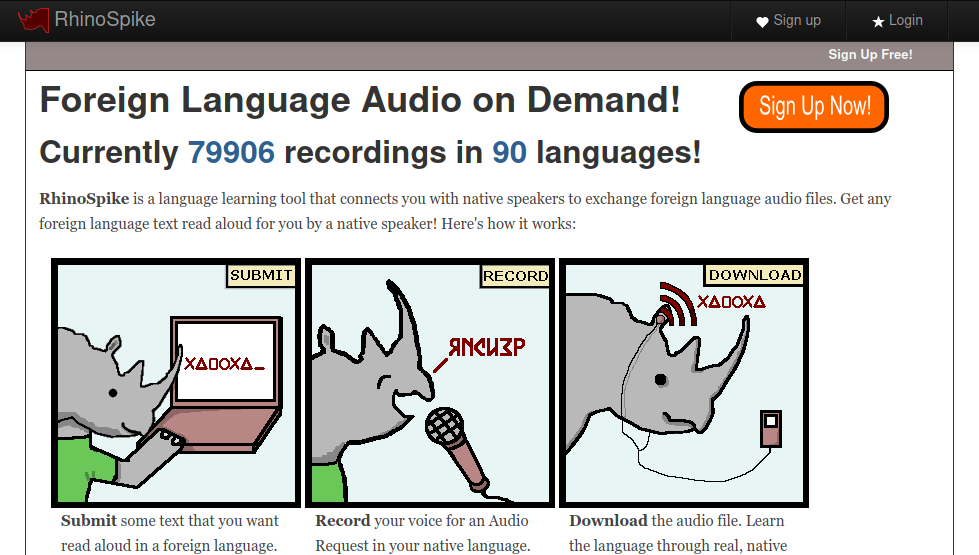
RhinoSpikeSo aside from my day job and my family, I’ve been keeping myself busy since December working on a project with my friend Thomas that we’ve released to the public just a few weeks ago. That project is RhinoSpike, a web site where people can submit text in a foreign language to be read aloud and recorded by native speakers of that language. In return, people can read and record themselves reading texts submitted in their native language for students of that language. It’s swap meet of mp3 files, only instead of copyrighted music, these mp3 files contain the voice and sound of many languages worldwide! I consider it my small and humble contribution to the goal of bringing peace and goodwill towards men through learning each others language.

The entire venture is a part-time deal for myself and Thomas, because we both have day jobs. So we had to maximize the effect of our efforts by building on a platform that provides all of the basic stuff that just about any website needs these days. That platform for us is Pinax, which is itself built on top of Django in the Python programming language. I can’t say enough good things about Pinax because it let us focus on what was unique to our site, while Pinax handled user authentication, OpenID, avatars, Gravatar, social network features like friends and messaging, announcements, administration, error handling, internationalization, and so much more that we actually had to strip out some of the built-in features because we felt it was too much for our site. These features are very modular and allowed us to essentially turn them on and off as if by a switch.

This project has been a great learning experience for me and continues to be so. In just three weeks we have almost 900 users, who mostly have found their way to our site via word of mouth on Twitter and some great language learning blogs. These users have been making many suggestions to make RhinoSpike even better, some of which we’ve already implemented and many more which we plan to do soon.

If you haven’t done so already, check RhinoSpike out, and tell me what you think! I’d love to hear it!

Barra de Español 1.2 is now available!

November 20th, 2009

The newest version of Barra de Español, version 1.2, is now available! See details about what’s new in this version in my post on Babelhut.com.

Simulating a keypress in Firefox

October 27th, 2009

Last night, I was working on Barra de Español and had spent quite a bit of time on Google looking for how to simulate a keypress in Firefox. It’s as simple as creating an event and dispatching it, though how to do so is not exactly intuitive. I needed to be able to do this because inserting accented characters from Barra de Español was not working in the message body textbox in Gmail and other webmail apps.

The way I inserted the characters before was to find the currently focused element, assume it was a textbox, and modify its value using the selectionStart property to know where the cursor was. Once I learned that the message body textbox could not be found using document.commandDispatcher.focusedElement, (that’s what “if(!focused) focused = document.commandDispatcher.focusedWindow.document.activeElement;” is all about) I found that the element used by Gmail for the message body wasn’t even a textbox, and didn’t have a value or selectionStart properties.

So the solution is to create a keypress event and dispatch it, like so:

insertchar: function(ch)
{
    var focused = document.commandDispatcher.focusedElement;
    if(!focused) focused = document.commandDispatcher.focusedWindow.document.activeElement;
    var evt = document.createEvent("KeyboardEvent");
    evt.initKeyEvent("keypress", true, true, null, false, false, false, false, 0, ch);
    focused.dispatchEvent(evt);
}

One important thing to note is that the parameter ch is not a character value, but an integer containing the character code you want to insert. So, for example, to insert the character ‘á’, ch must be the value 225. To find the values I needed I used the wonderful character lookup tool at http://leftlogic.com/lounge/articles/entity-lookup/.

Bonus tip: If you are developing a Firefox extension and are using a text file in your profile’s extension directory to point to the folder where your code is located, and you move your code to another folder, you will discover that Firefox won’t load your extension, even though you edited the text file with the new location. The fix is to find a file in your profile directory called extensions.cache and delete it. This frustrated me for at least an hour last night, and Google failed me on this.